Table
Tables make information easier to scan and understand.
Overview
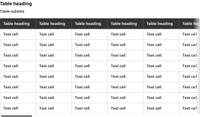
A table component is a structured element that organizes data into rows and columns, with headers, rows, and cells for clarity and usability. The first row typically serves as the header.
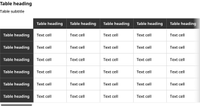
In certain situations, a table may also need the first column to serve as a header.
Usage guidelines
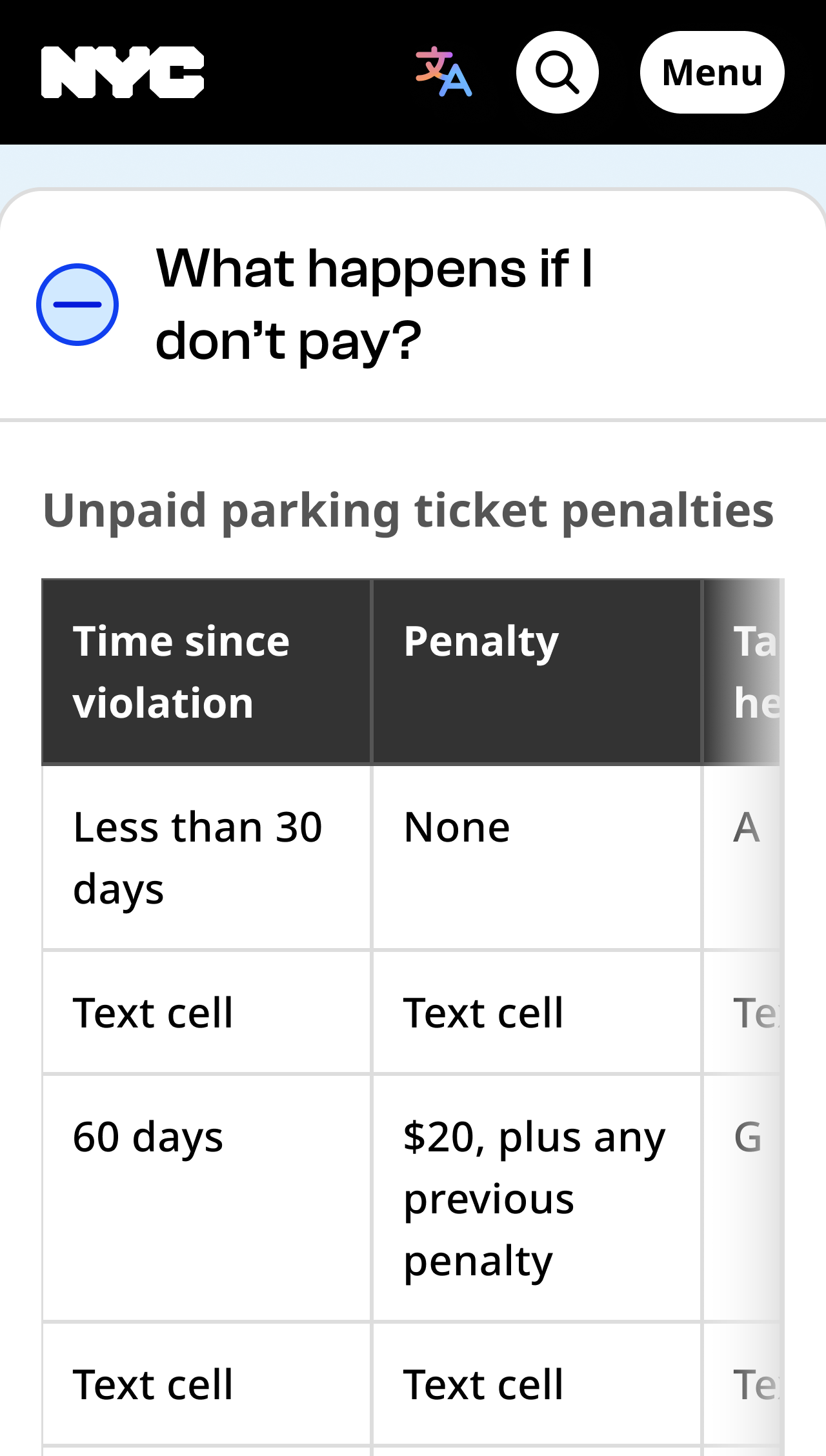
Columns should be wide enough that there are no line breaks within a word.
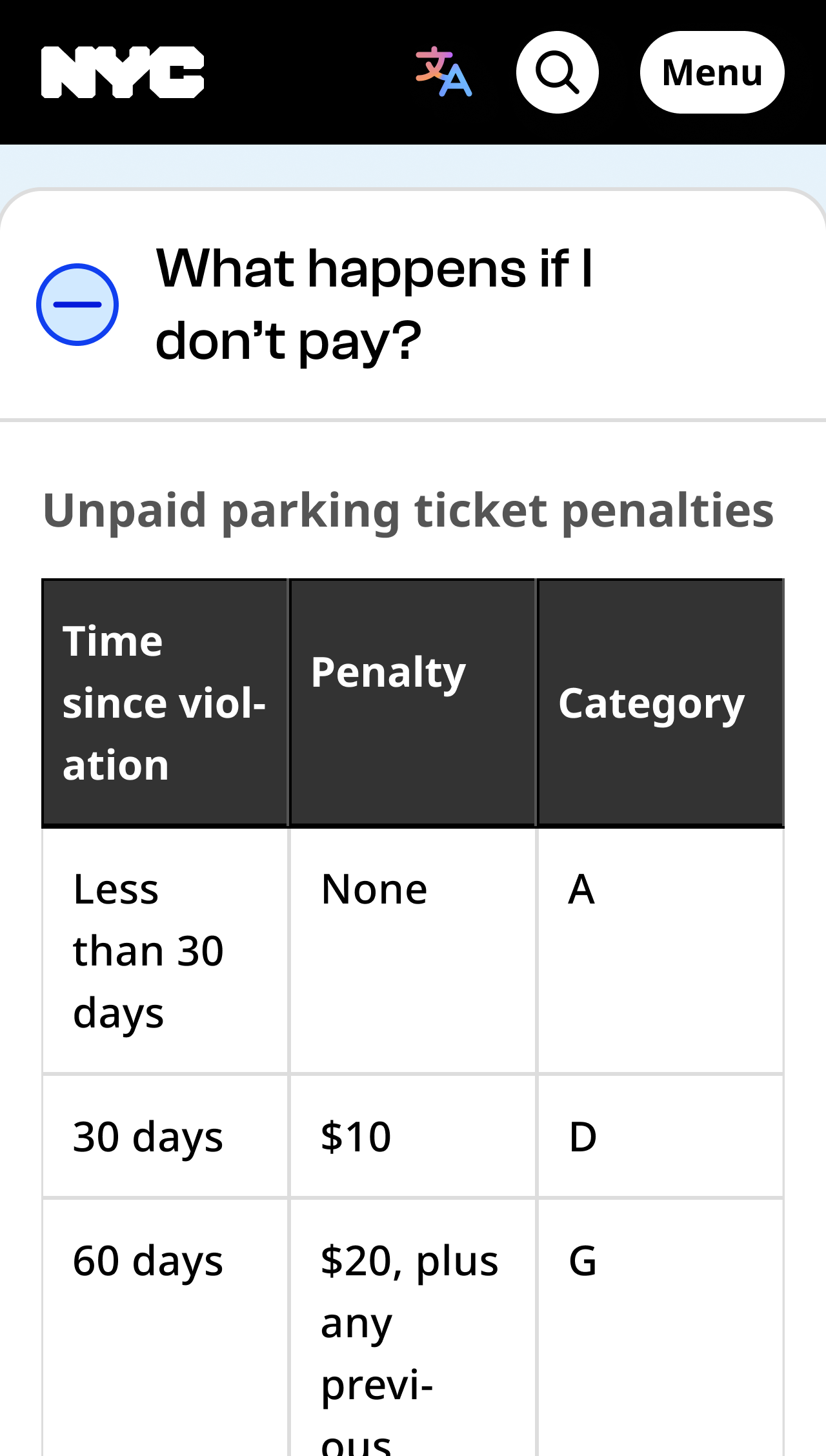
If there’s too much empty space in a column, try different text alignments to increase readability.
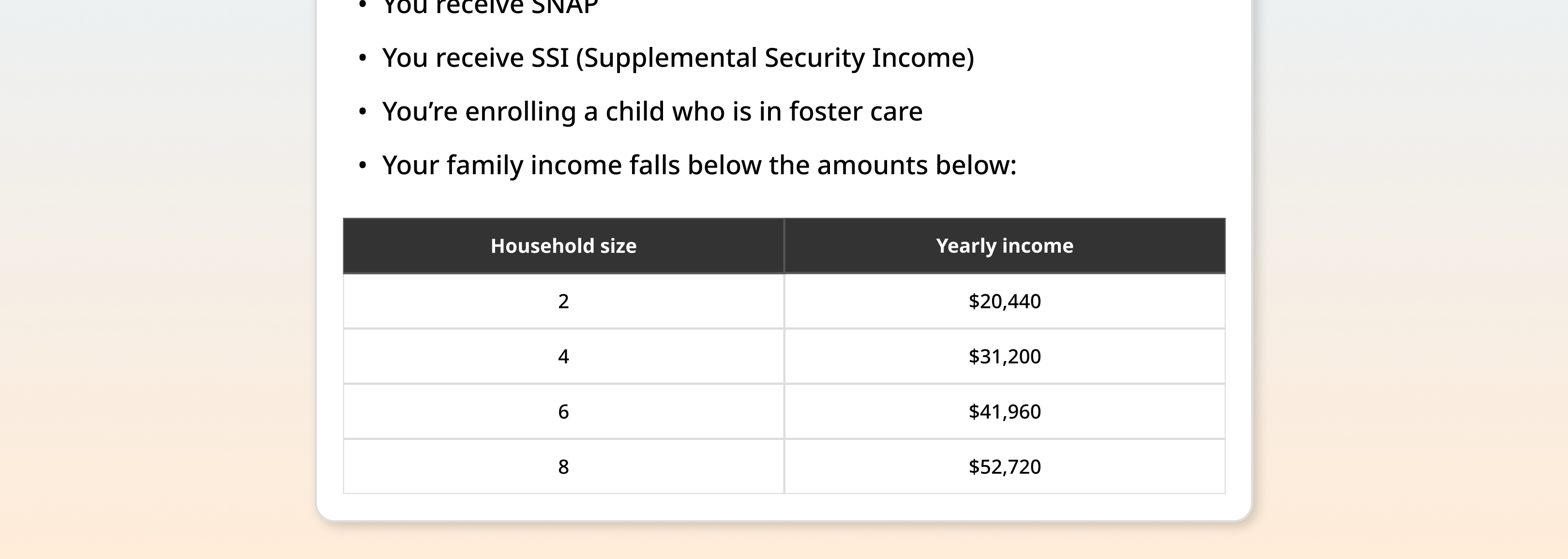
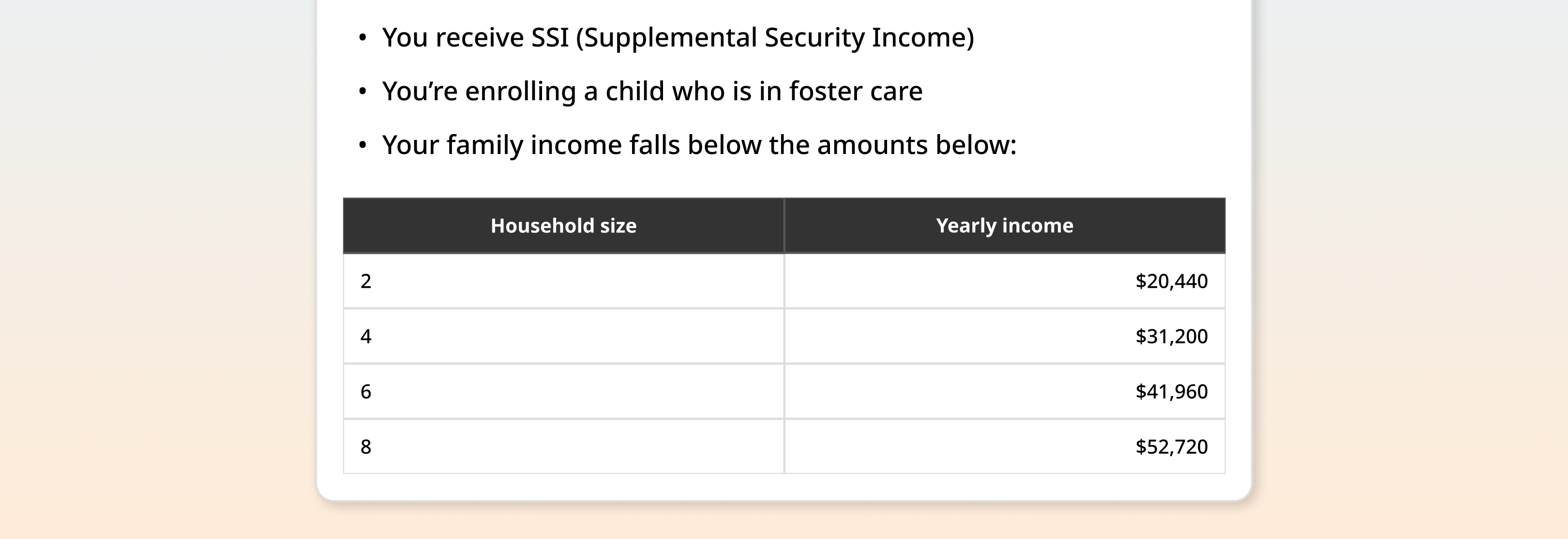
Tables are required to have a title. You can also include a description to add more context or instructions.
Cite sources below the table.
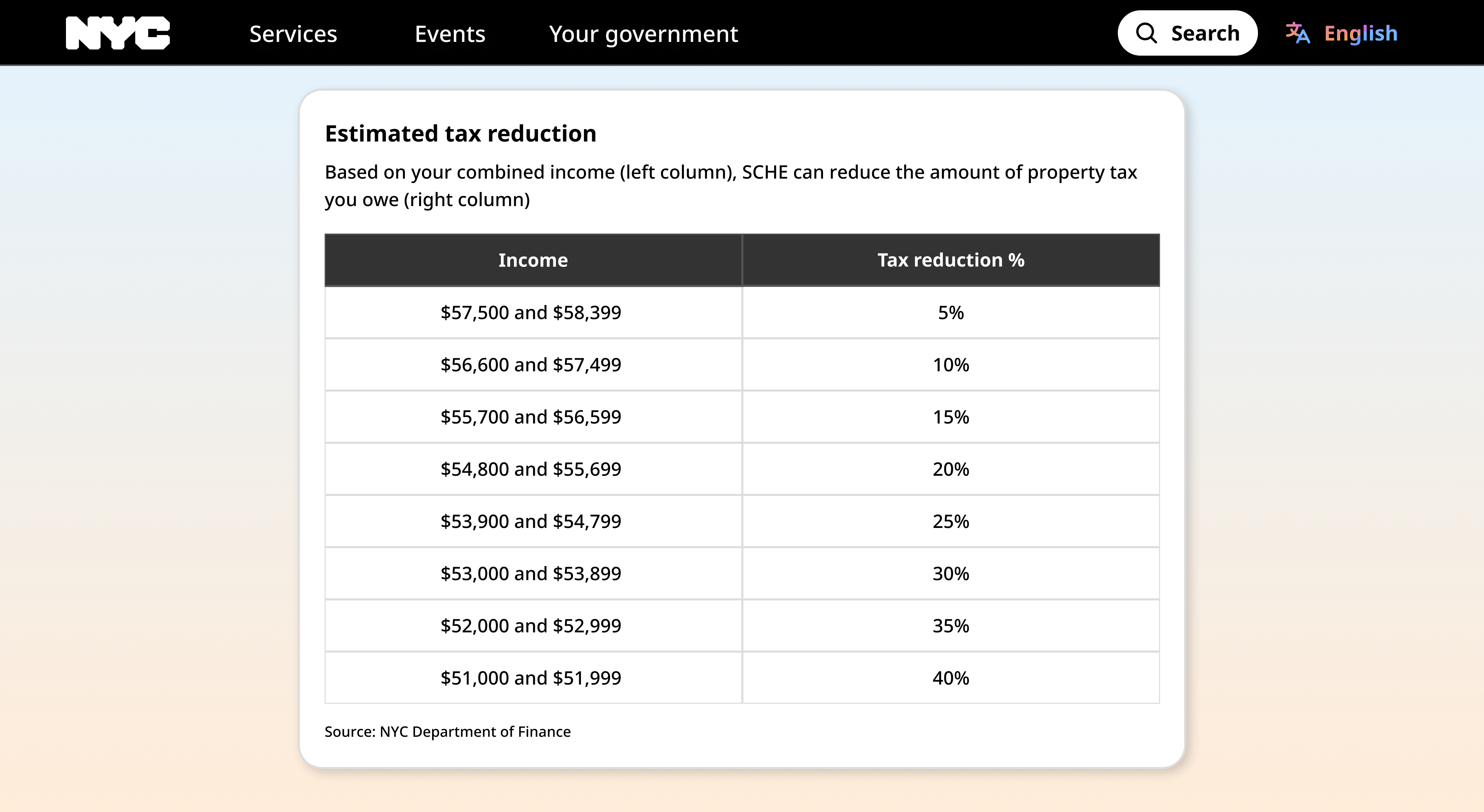
Table with top heading
| Table heading | Table heading | Table heading | Table heading | Table heading | Table heading |
|---|---|---|---|---|---|
| Row 1, Col 1 | Row 1, Col 2 | Row 1, Col 3 | Row 1, Col 4 | Row 1, Col 5 | Row 1, Col 6 |
| Row 2, Col 1 | Row 2, Col 2 | Row 2, Col 3 | Row 2, Col 4 | Row 2, Col 5 | Row 2, Col 6 |
| Row 3, Col 1 | Row 3, Col 2 | Row 3, Col 3 | Row 3, Col 4 | Row 3, Col 5 | Row 3, Col 6 |
| Row 4, Col 1 | Row 4, Col 2 | Row 4, Col 3 | Row 4, Col 4 | Row 4, Col 5 | Row 4, Col 6 |
| Row 5, Col 1 | Row 5, Col 2 | Row 5, Col 3 | Row 5, Col 4 | Row 5, Col 5 | Row 5, Col 6 |
| Row 6, Col 1 | Row 6, Col 2 | Row 6, Col 3 | Row 6, Col 4 | Row 6, Col 5 | Row 6, Col 6 |
| Row 7, Col 1 | Row 7, Col 2 | Row 7, Col 3 | Row 7, Col 4 | Row 7, Col 5 | Row 7, Col 6 |
| Row 8, Col 1 | Row 8, Col 2 | Row 8, Col 3 | Row 8, Col 4 | Row 8, Col 5 | Row 8, Col 6 |
<div class="nyc-table" style="max-width: 700px">
  <table>
    <caption>Example Table 1</caption>
    <thead>
      <tr>
        <th>Table heading</th><th>Table heading</th><th>Table heading</th><th>Table heading</th><th>Table heading</th><th>Table heading</th>
      </tr>
    </thead>
    <tbody>
      <tr>
        <td>Row 1, Col 1</td><td>Row 1, Col 2</td><td>Row 1, Col 3</td><td>Row 1, Col 4</td><td>Row 1, Col 5</td><td>Row 1, Col 6</td>
      </tr>
      <tr>
        <td>Row 2, Col 1</td><td>Row 2, Col 2</td><td>Row 2, Col 3</td><td>Row 2, Col 4</td><td>Row 2, Col 5</td><td>Row 2, Col 6</td>
      </tr>
      <tr>
        <td>Row 3, Col 1</td><td>Row 3, Col 2</td><td>Row 3, Col 3</td><td>Row 3, Col 4</td><td>Row 3, Col 5</td><td>Row 3, Col 6</td>
      </tr>
      <tr>
        <td>Row 4, Col 1</td><td>Row 4, Col 2</td><td>Row 4, Col 3</td><td>Row 4, Col 4</td><td>Row 4, Col 5</td><td>Row 4, Col 6</td>
      </tr>
      <tr>
        <td>Row 5, Col 1</td><td>Row 5, Col 2</td><td>Row 5, Col 3</td><td>Row 5, Col 4</td><td>Row 5, Col 5</td><td>Row 5, Col 6</td>
      </tr>
      <tr>
        <td>Row 6, Col 1</td><td>Row 6, Col 2</td><td>Row 6, Col 3</td><td>Row 6, Col 4</td><td>Row 6, Col 5</td><td>Row 6, Col 6</td>
      </tr>
      <tr>
        <td>Row 7, Col 1</td><td>Row 7, Col 2</td><td>Row 7, Col 3</td><td>Row 7, Col 4</td><td>Row 7, Col 5</td><td>Row 7, Col 6</td>
      </tr>
      <tr>
        <td>Row 8, Col 1</td><td>Row 8, Col 2</td><td>Row 8, Col 3</td><td>Row 8, Col 4</td><td>Row 8, Col 5</td><td>Row 8, Col 6</td>
      </tr>
    </tbody>
  </table>
</div>
Table with top and side heading
| Table heading | Table heading | Table heading | Table heading | |
|---|---|---|---|---|
| Table heading | Row 1, Col 1 | Row 1, Col 2 | Row 1, Col 3 | Row 1, Col 4 |
| Table heading | Row 2, Col 1 | Row 2, Col 2 | Row 2, Col 3 | Row 2, Col 4 |
| Table heading | Row 3, Col 1 | Row 3, Col 2 | Row 3, Col 3 | Row 3, Col 4 |
| Table heading | Row 4, Col 1 | Row 4, Col 2 | Row 4, Col 3 | Row 4, Col 4 |
<div class="nyc-table">
  <table>
    <caption>Example Table 2</caption>
    <thead>
      <tr>
        <th></th>
        <th>Table heading</th>
        <th>Table heading</th>
        <th>Table heading</th>
        <th>Table heading</th>
      </tr>
    </thead>
    <tbody>
      <tr>
        <th>Table heading</th>
        <td>Row 1, Col 1</td>
        <td>Row 1, Col 2</td>
        <td>Row 1, Col 3</td>
        <td>Row 1, Col 4</td>
      </tr>
      <tr>
        <th>Table heading</th>
        <td>Row 2, Col 1</td>
        <td>Row 2, Col 2</td>
        <td>Row 2, Col 3</td>
        <td>Row 2, Col 4</td>
      </tr>
      <tr>
        <th>Table heading</th>
        <td>Row 3, Col 1</td>
        <td>Row 3, Col 2</td>
        <td>Row 3, Col 3</td>
        <td>Row 3, Col 4</td>
      </tr>
      <tr>
        <th>Table heading</th>
        <td>Row 4, Col 1</td>
        <td>Row 4, Col 2</td>
        <td>Row 4, Col 3</td>
        <td>Row 4, Col 4</td>
      </tr>
    </tbody>
  </table>
</div>